 AirDigest
Summarise, Bookmark and Recommendations
Paste a reel's link. Keep what it said.
AirDigest uses Apple Intelligence, the personal intelligence system built into your device, to watch the reel and write one short article you can read, listen to and keep.
- Uses Apple Intelligence
- For iPhone, iPad and Mac
- No account
- Data Not Collected
Coming soon
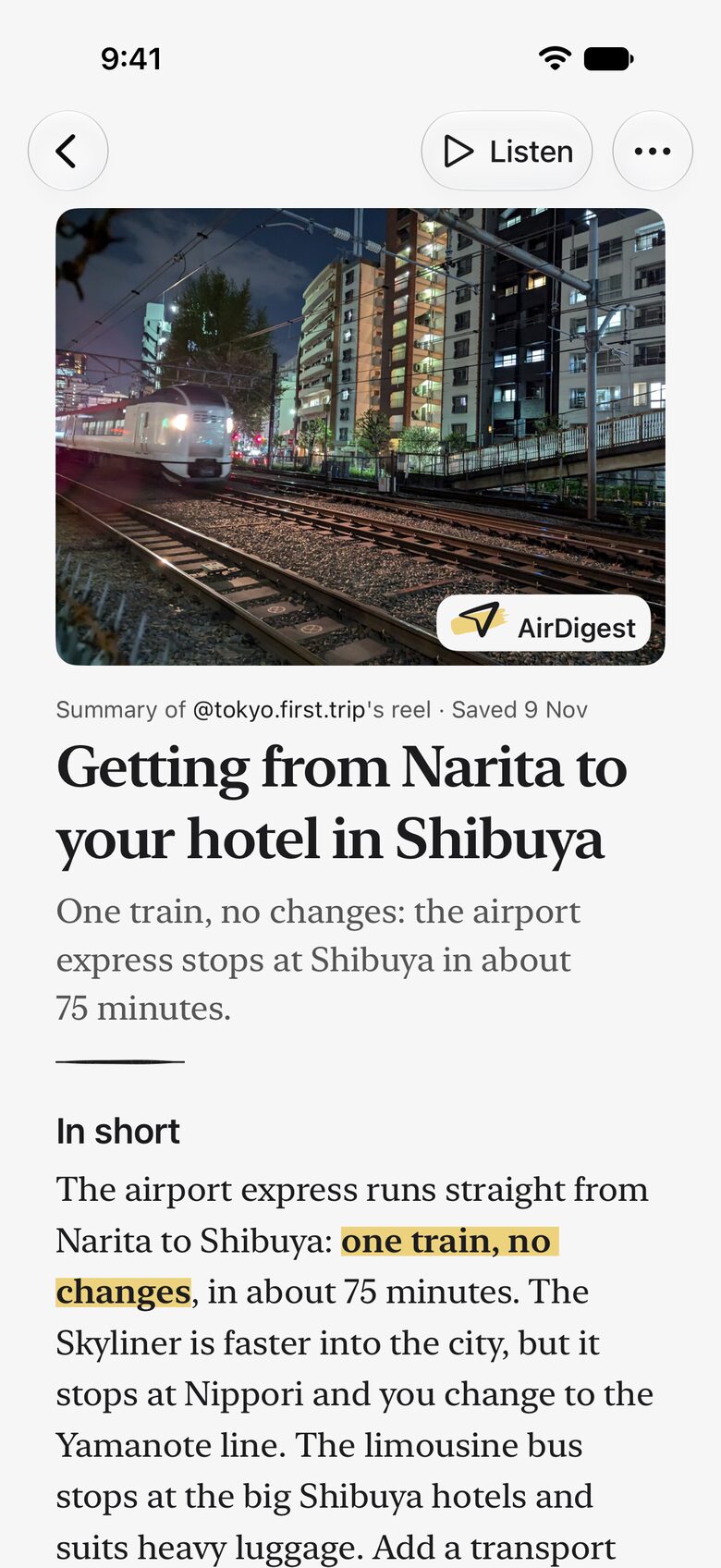


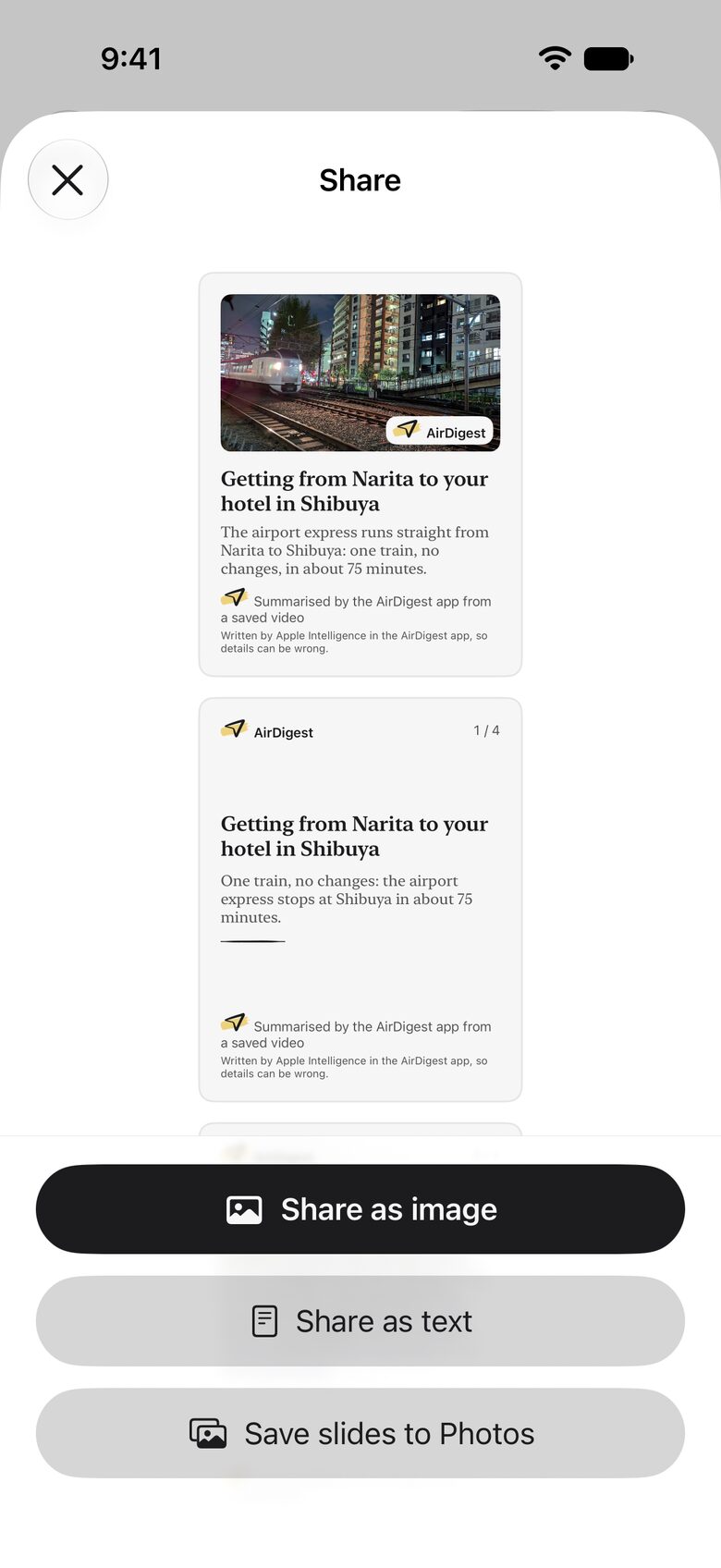


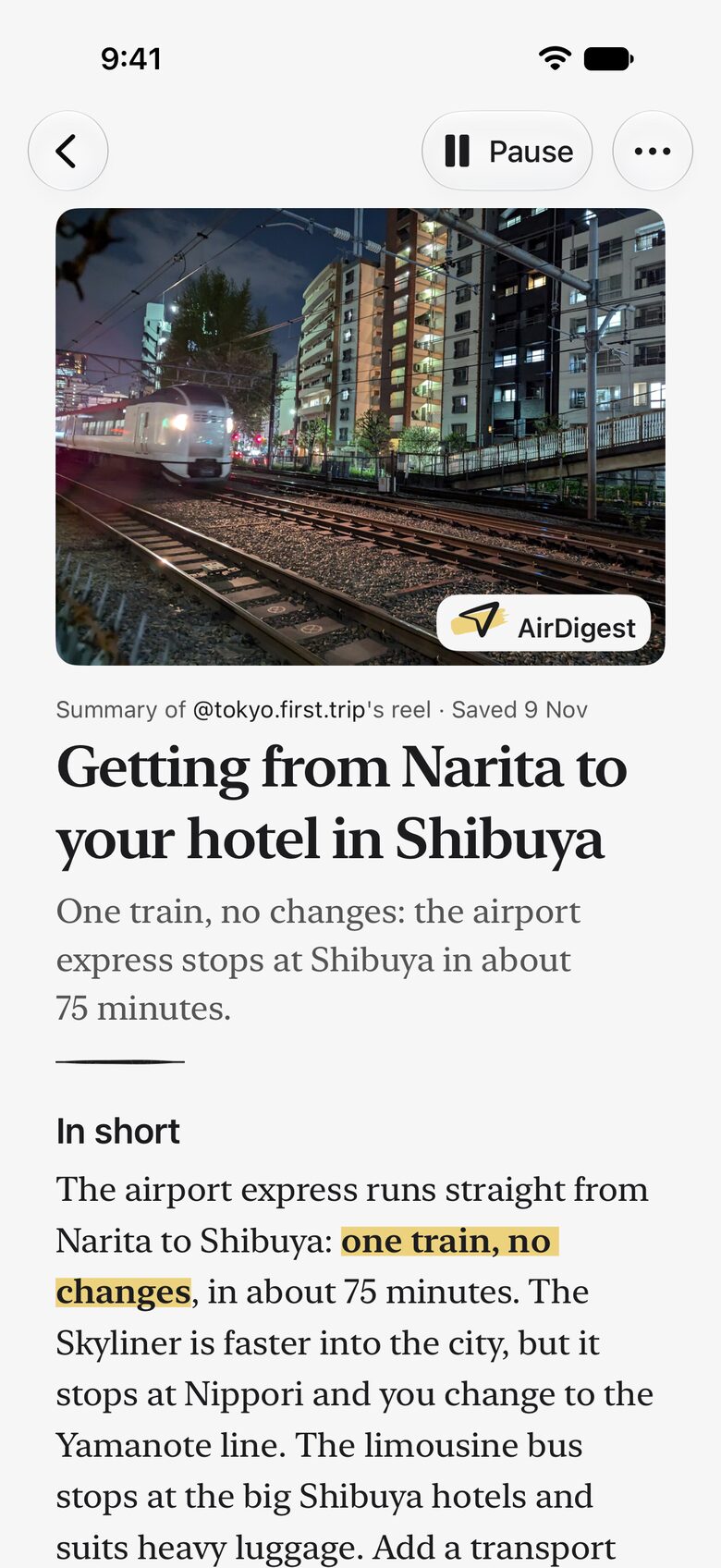
One short page for each reelA title, one line and In short, with the reel's own lines a tap away.
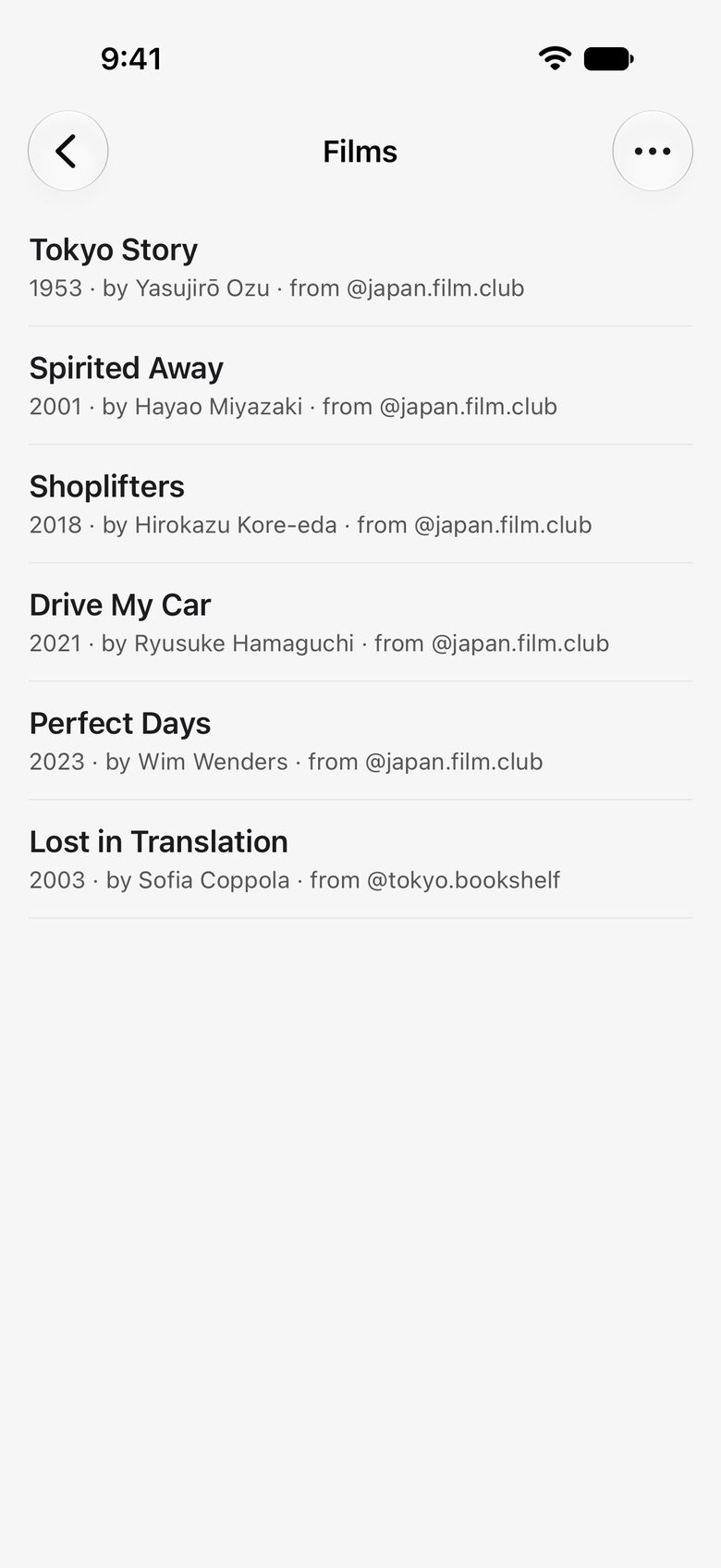
What it names, in a listA film, a book, a place or an app, one tap from Maps, Books or Music.
A library that endsNo feed and nothing suggested. It stops at the last thing you saved.
The creator stays on the pageEvery share says whose reel it is and that the AirDigest app summarised it.
Shown and written in your languageChoose one of nine on the first screen, whatever language the reel is in.
Paste the linkCopy a reel's link and paste it in AirDigest, or share it to the app.
How it works
Copy the link
In Instagram, tap the paper plane on a reel, then Copy link.
Paste it in AirDigest
Tap Paste. Or share the reel to the app from the same row, and stay where you are.
Read it
AirDigest watches the reel using Apple Intelligence and writes one short article on your device. The video doesn't stay.
How AirDigest uses Apple Intelligence
AirDigest works with what's already on your device. Apple Foundation Models, the on-device models behind Apple Intelligence, write the draft, clean it up, file it by topic and find what the reel recommends. On iOS 27 they also read the images in a reel with no words. Around them, Apple's Vision reads the text on screen, App Intents bring your articles to Spotlight, Siri and Shortcuts, and a speech model in the app, Whisper small, hears what is said. No article is written in the cloud, not even Apple's.
Summarise: one page for each reel
A title, one line, In short, and any steps or list the reel gives, with its links, caption and transcript. Where AirDigest can place a part, a time beside it opens the reel's own lines. It's a summary and says so: the footer names Apple Intelligence and says details can be wrong.
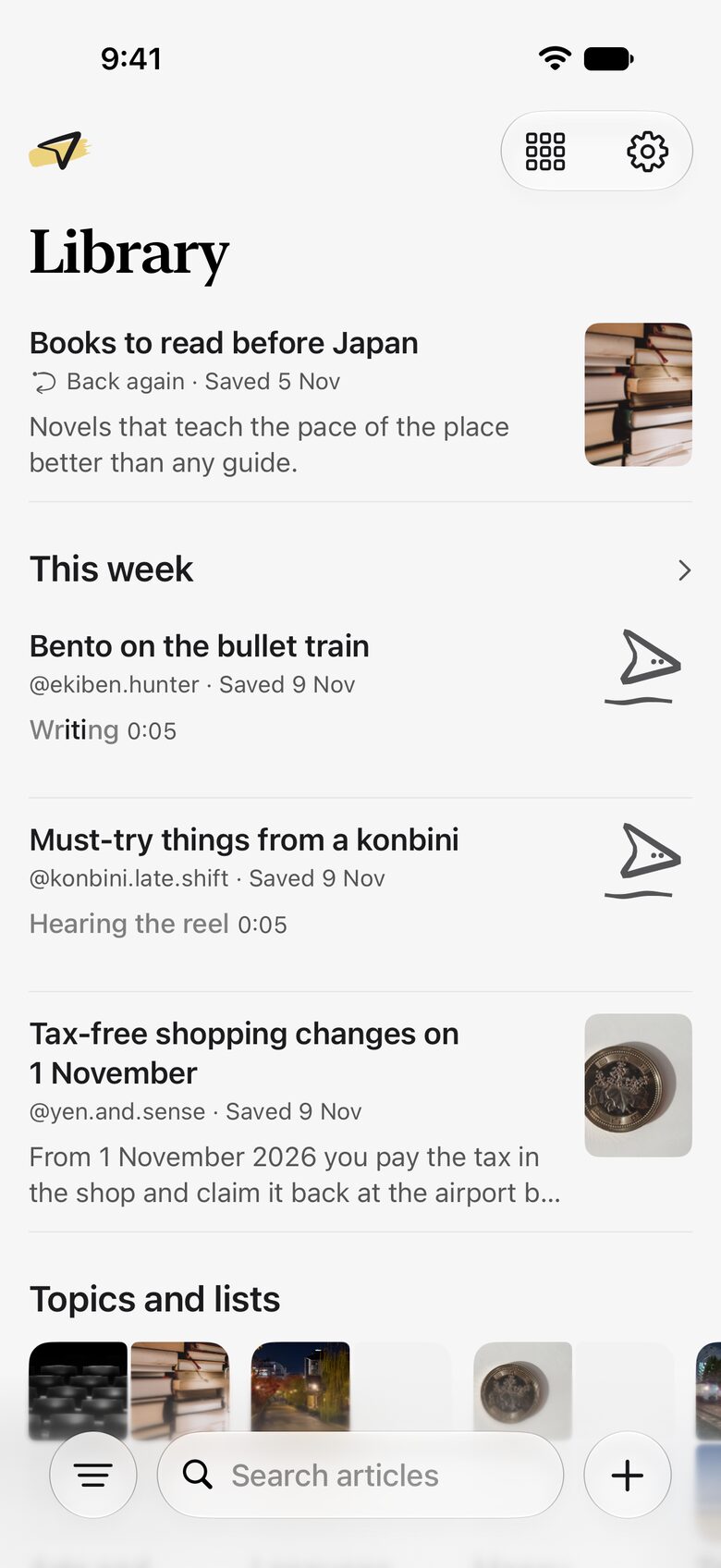
Bookmark: a library that ends
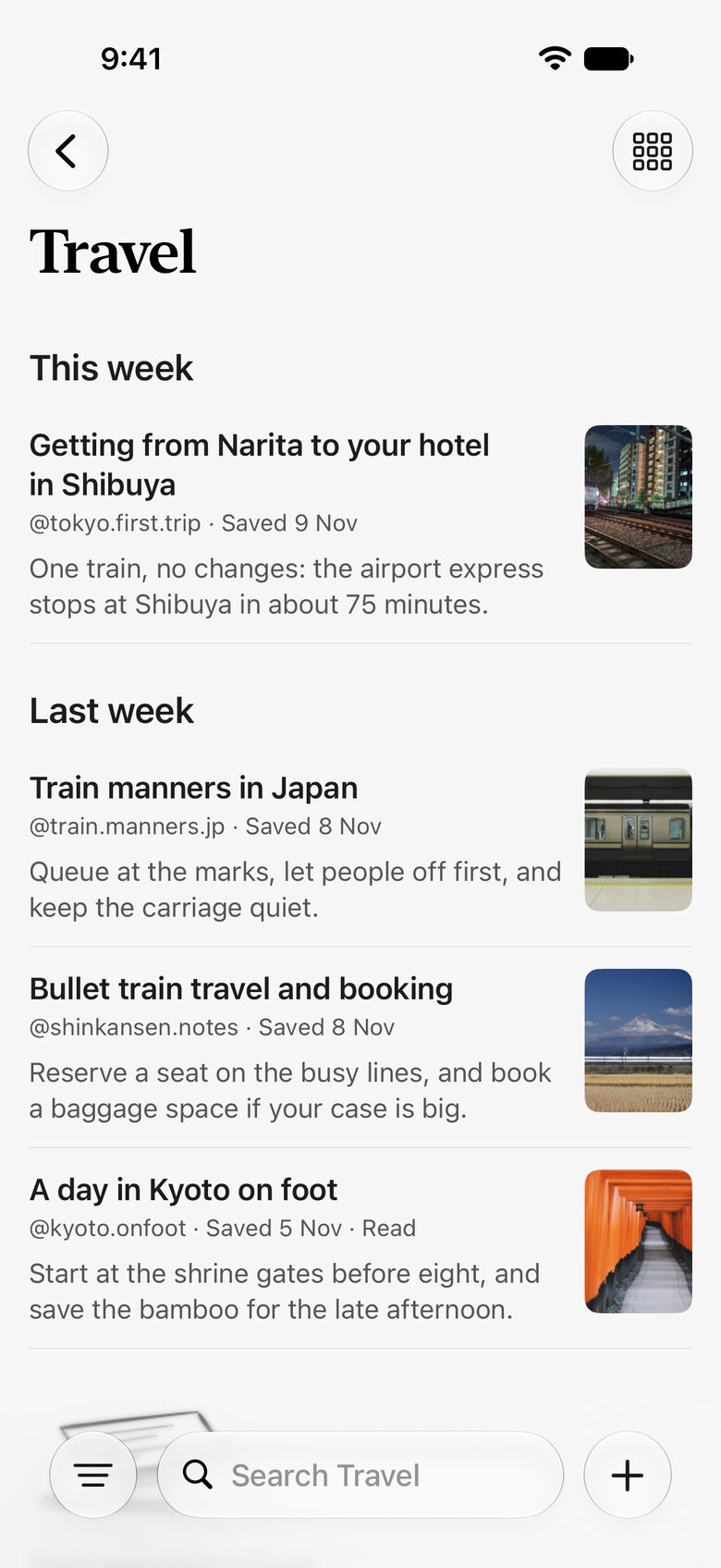
Everything you added, with its still, by date, by topic and by words. Pin, archive, rearrange. There's no feed and nothing is suggested, and the list ends with the last thing you saved. An article you read comes back a week later and a month later, as one quiet row. There are no notifications.
Recommendations: what it names, in a list
A film, a book, a place, a song or an app the reel names lands in the article's list and in a list across your reels, one tap from Maps, Books, TV, Podcasts or Music. It can miss one, so the reel stays a tap away. AirDigest only opens those apps by name; it makes no request of its own.
For iPhone, iPad and Mac
AirDigest runs on iPhone, from the Pro models to iPhone Duo, with a layout for each of its displays; on iPad, with your library beside the article; and on Macs with Apple silicon, as the iPad app. Your library follows you through your own iCloud. Writing needs a device with Apple Intelligence: iPhone 15 Pro or later, iPhone 16e, iPad mini (A17 Pro, A20 Pro), MacBook Neo, or an iPad or Mac with M1 or later.
Listen, in your language
Read any article aloud with your device's voices. On the first screen you choose your language, and AirDigest shows that language and writes in it: English, Español, Français, 日本語, Deutsch, Português, Italiano, 한국어 or 简体中文.
The creator stays on the page
Every article says whose reel it summarises, with their handle and a link back. Every share says so too, with "summarised by the AirDigest app": as text with the reel's link, as an image with the creator's handle. AirDigest posts nothing anywhere: an article leaves only when you share it or save its slides to Photos.
Written on your device
Apple Intelligence writes each article on the device, not on a server or in the cloud. There's no account, no analytics and no ads, and we have no server to send anything to. Your library stays on your device and in your own iCloud. See the privacy policy for exactly what uses the internet.
What it costs
Free to install, and your first 5 new articles are free. Reading, listening, sharing, Notes, the sample and the long version stay free. After 5, a pass, which never renews:
- 30 days US$3.99
- A year US$19.99
- Lifetime US$39.99, one payment
Questions
- What is AirDigest?
- AirDigest uses Apple Intelligence to write one short article from a public reel, on your device. It's made by Ankur Dohare, an individual developer.
- How do I turn a reel into an article?
- Copy a reel's link and paste it in AirDigest, or share it to the app. AirDigest watches the reel using Apple Intelligence.
- How does AirDigest use Apple Intelligence?
- Apple Foundation Models, on your device, write the article, clean it up, file it and find what the reel recommends. Apple's Vision reads what is on screen, and a speech model in the app, Whisper small by OpenAI, hears what is said.
- Is the article written on my iPhone?
- Yes, Apple Intelligence writes it on your device. No article is written in the cloud, Private Cloud Compute included.
- Can it list the films and books a reel recommends?
- Yes. A film, a book, a place or an app the reel names lands in its own list, one tap from Maps, Books, TV, Podcasts or Music. It can miss one. It lists what the reel names; it doesn't identify a film from a scene.
- What happens to the video?
- Your iPhone asks Instagram for the public post and holds the video only while AirDigest watches, then deletes it. One still stays with the article as its cover.
- Do I need an account or an Instagram login?
- No, AirDigest has no account. Instagram sees the request, your device's IP address and that it comes from AirDigest, not your Instagram account.
- Which devices does it work on?
- iPhone, including iPhone Duo, iPad, and Macs with Apple silicon as the iPad app. Writing articles needs Apple Intelligence: iPhone 15 Pro or later, iPhone 16e, iPad mini (A17 Pro, A20 Pro), MacBook Neo, or an iPad or Mac with M1 or later, on iOS or iPadOS 26.4 or later. Other devices can install it, read the sample and read what syncs.
- How long can a reel be?
- Up to 90 seconds, or up to 45 when the screen is full of text. AirDigest says when one is too long, and it doesn't use a free article.
- Does AirDigest work in the background?
- Partly. A reel you share is watched in the background while your screen is on; a locked iPhone pauses that. The article is written when you open AirDigest.
- What does it cost?
- It's free to install, and your first 5 new articles are free, for life. After that, a pass never renews: 30 days, a year or Lifetime.
- Which languages does it write in?
- English, Spanish, French, Japanese, German, Portuguese (Brazil), Italian, Korean and Chinese (Simplified). The first screen asks, and the app shows that language and writes in it.
- Can it read a private reel?
- No, AirDigest doesn't read private posts. For a reel whose music Instagram keeps in its app, it reads only the caption and cover.
- Can I use a video that isn't a reel?
- Yes, you can choose a video from Photos or Files.
- Can the article be wrong?
- Yes, details can be wrong, and the article's footer says so. Advice on health, money or the law is the creator's. Where AirDigest can place a part, you can tap a time to see where the reel says it, and the link to the reel is at the end of every article.
- Does the creator get credit?
- Yes. Every article names the creator and links back to the reel. A share as text links back too, and an image names the creator. A reel and its ideas stay theirs.
- Can I get my articles out?
- Yes, Export all gives you Markdown. Reading, listening, sharing and export are always free.
- Does AirDigest collect my data?
- No. Its App Store label is Data Not Collected: no account, no analytics, no ads. Your articles stay on your device and in your own iCloud while Sync with iCloud is on.
- Is AirDigest made by Instagram, Meta or Apple?
- No. AirDigest isn't affiliated with or endorsed by Instagram, Meta or Apple. It uses Apple Intelligence, which is part of your device, to write.